
The Designer’s Web Handbook

ISBN: 9781440314414
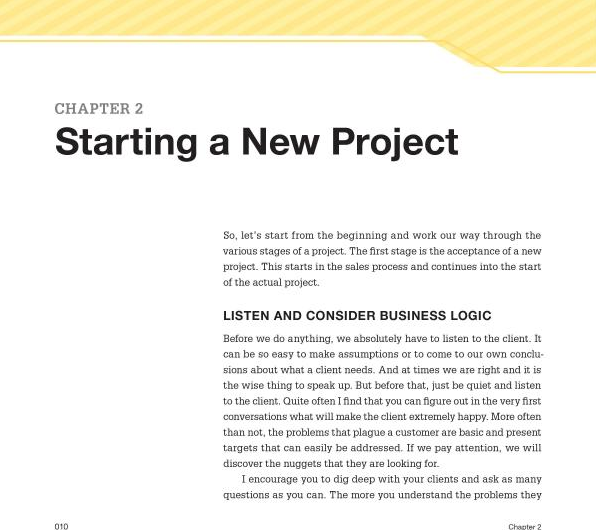
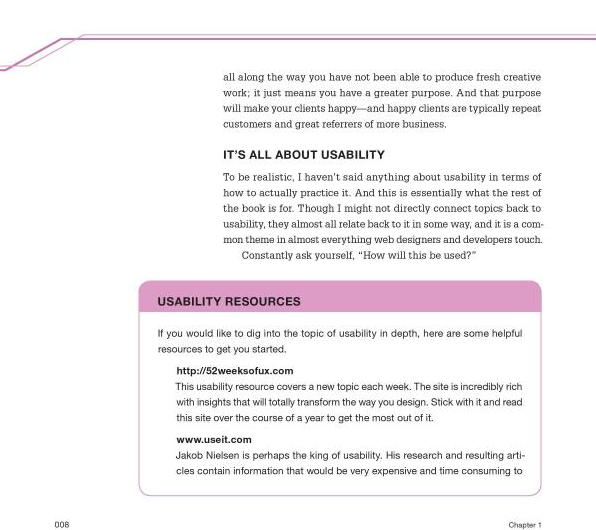
The Designer’s Web Handbook: What You Need to Know to Create for the Web by Patrick McNeil and published by HOW Books is a great primer on how to begin to design your own website or become a website designer. Before the title kicks off McNeil points out the goals of the book and this is what is lacking in so many introductions these days. McNeil states that many of the chapters require further reading and this is certainly true. On this point this is an area where The Designer’s Web Handbook excels by providing lots of handy web links at the end of each section. Some of these links I had never come across like usability.gov which outlines good design processes. The sections are as follows:
- Usability – which focuses on goals, understanding the core of what a customer wants to achieve and delivering on that. Everything else is a distraction. I found this personally very helpful as sometimes I get so caught up into details and over-design things that I am really just creating clutter.
- Starting a New Project – talks about the different types of websites that you can make like brochure websites, news sites ecommerce sites and the list goes on. The lessons outlined by McNeil are told with great experience and are great tips for designing for different industries. Like if you are designing for the educational market, expect there to be a committee that makes decisions. This chapter also touches on researching and sitemaps which can be the more rudimentary parts of web design but are so often glossed over.
- Components of Web Pages – This section will be treasured for people learning to design websites as it talks about the possibilities of how to present content in effective and valuable ways. This includes how to use different techniques to show and hide content and different ways of navigating a website. There’s a whole bunch of other great content here so I wont spoilt it for you!
- The Specifications – this chapter talks about screen resolutions and the types of websites like where to get started with content management systems, blogs, static content, ecommerce websites etc.
- Designing for the Web -The design chapter talks about the general design principles of websites like screen resolution and design trends and extends into the coding platforms like CSS, HTML and dynamic content (php). There’s a lot of good information here to give you the first steps on where to start on a practical level.
- Production Considerations – This includes image sizes and different image formats and browser compatibility.
- Measuring Results – Which includes statistics tracking and furthermore understanding those statistics to make effective changes to your website.
- Maintenance – This chapter includes typography on the web, image replacement, templates and loading times.
Not to mention there are 2 great appendix sections which talk about WordPress, the world’s biggest CMS (content management system) and DPI (dots per an inch) and myths associated with DPI.
The structure of The Designer’s Web Handbook is fantastic as it guides you through the web design and development process from ideation through to maintenance and provides you a good mix of theory, tips and tricks, considerations and strategy along the way. The chapters are pithy, well written and easily digestible; it is not a long title but it’s a good one. There are also some great example websites that help illustrate the main points; however this is not a portfolio book, this is mainly a text centric book. Which is great for a change, it takes a few seconds on google images to find out what a great website looks like but it takes a lot more time and effort to teach people how to design! From first hand experience the topics covered are relevant and important and all the content is communicated in a simple manner.
For a beginner this title is fantastic and this is really who it is aimed for. However I think for the intermediate designer this book might be a little frustrating as it never hits the critical how question. For example, “yes I would really love to put an accordion on my website so I can show and hide content but how do I do that?”. To actually get something like an accordion on your website is no simple feat – well depending on the website platform your working on. But one knows you need a combination of fairly good HTML knowledge, some CSS to style it up and some javascript to work out the showing and hiding of content. One knows to acquire this knowledge can take a couple or many more years to get to this level. So the intermediate reader would certainly benefit from where to acquire these technical skills. However this can’t be used against this book as it never sets out to achieve this. So in supposition this book will tell you what you need to do and consider, not how to do it – but it will tell you where you can find how to do it.
The Designer’s Web Handbook I would recommend to any beginner web designer, and also designers, without being offensive, that have perhaps dated views on how websites should be designed, constructed and maintained. This title features the most up to date techniques and technologies of how to bring beautiful websites to market or for personal pleasure. The content is fairly concise, simply to understand and well informed – the perfect website reference.
[rating:4]